
AI call recording and transcription for Cloud X: every recorded call turned into something you can read, search and act on. Open any recording in Zeus and see the full conversation, a summary of the call, and the people, companies and dates that were mentioned.
Part of Cloud X. New to this? Read our AI call transcription guide.
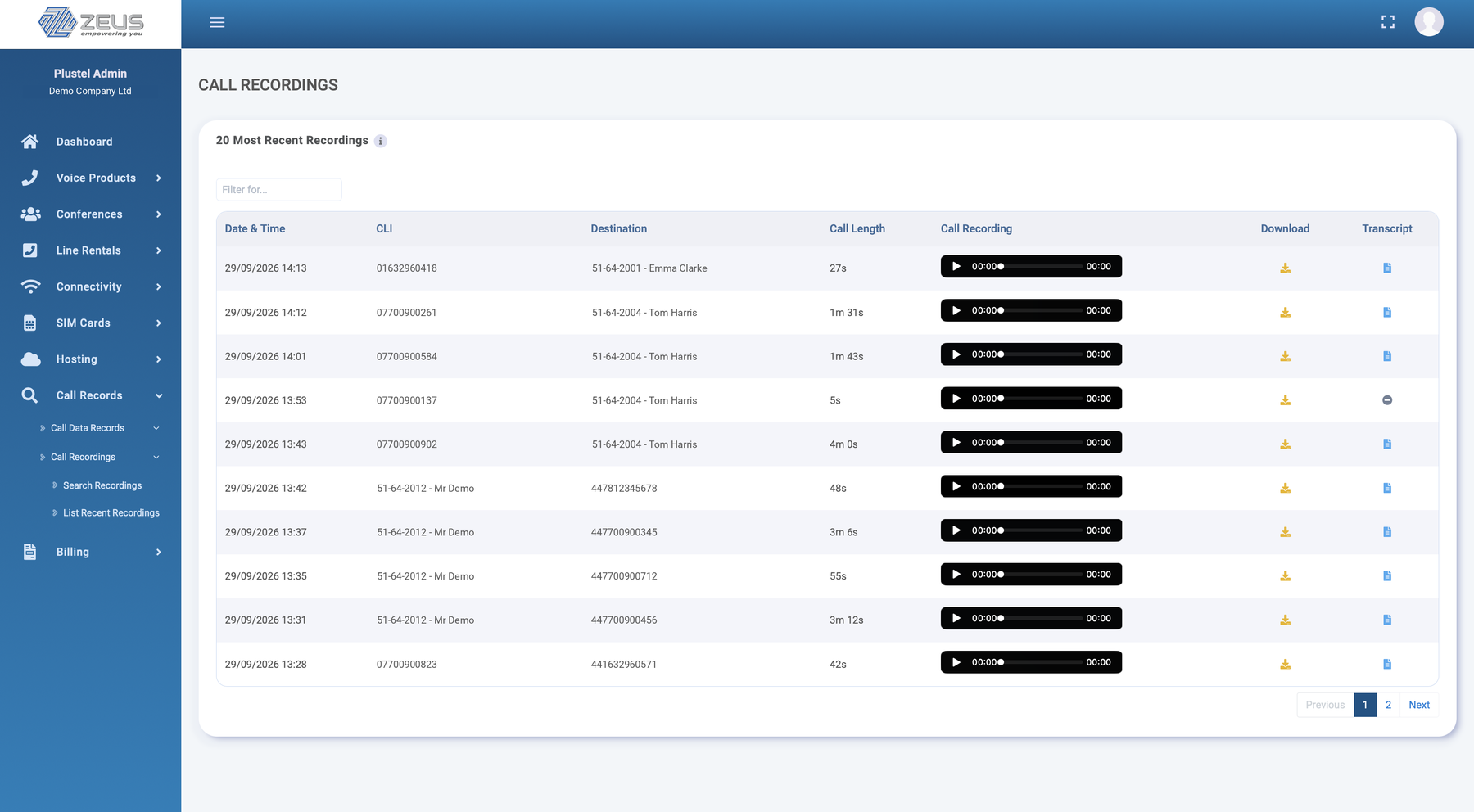
 One click from any recording
It all starts from the call recording you already have on Cloud X. There is nothing for your team to change: they make and take calls as normal, and the rest happens automatically.
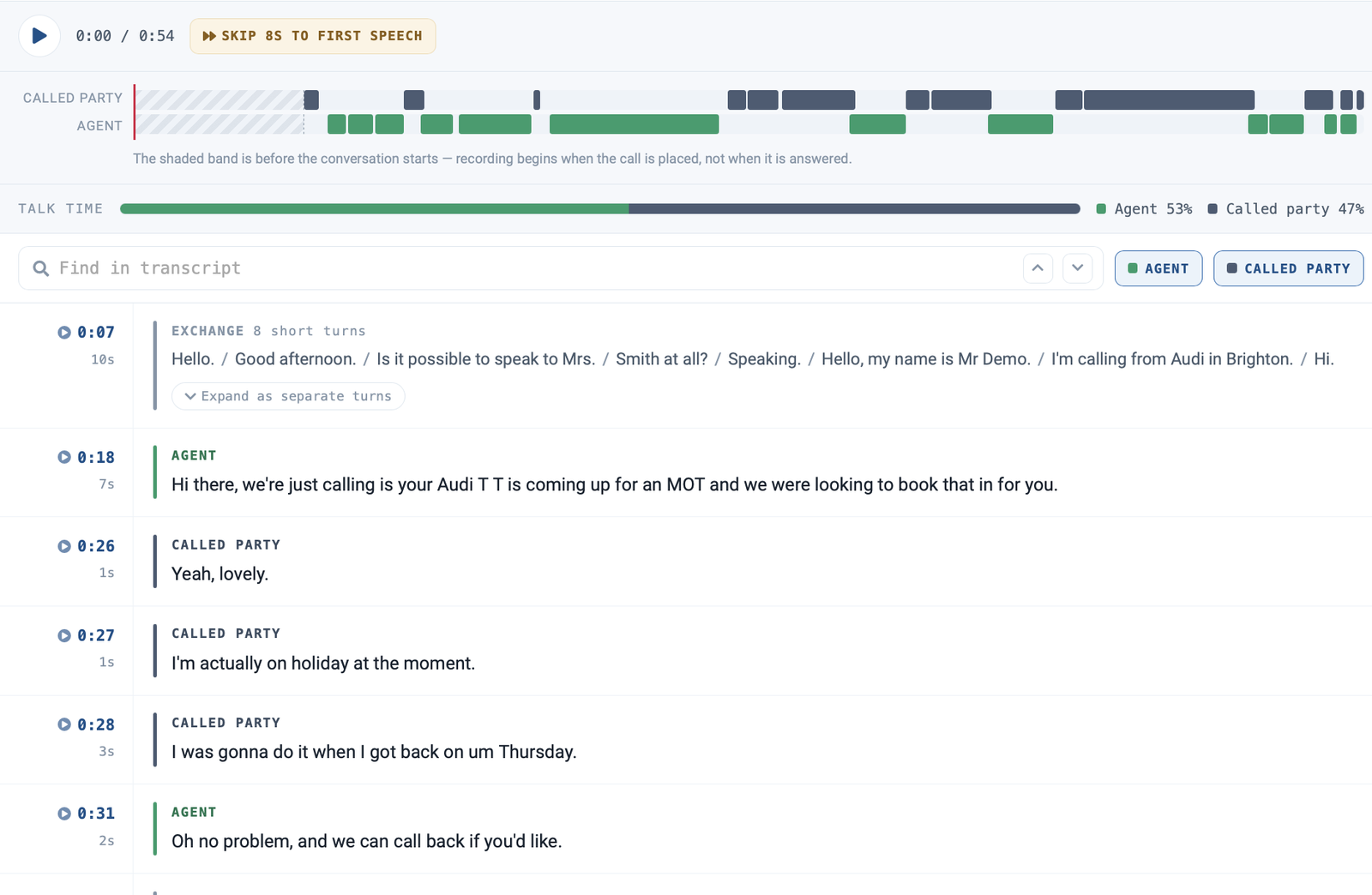
Every turn of the conversation, labelled Agent or Caller (Called party on outbound calls), with a timestamp you can click to play.
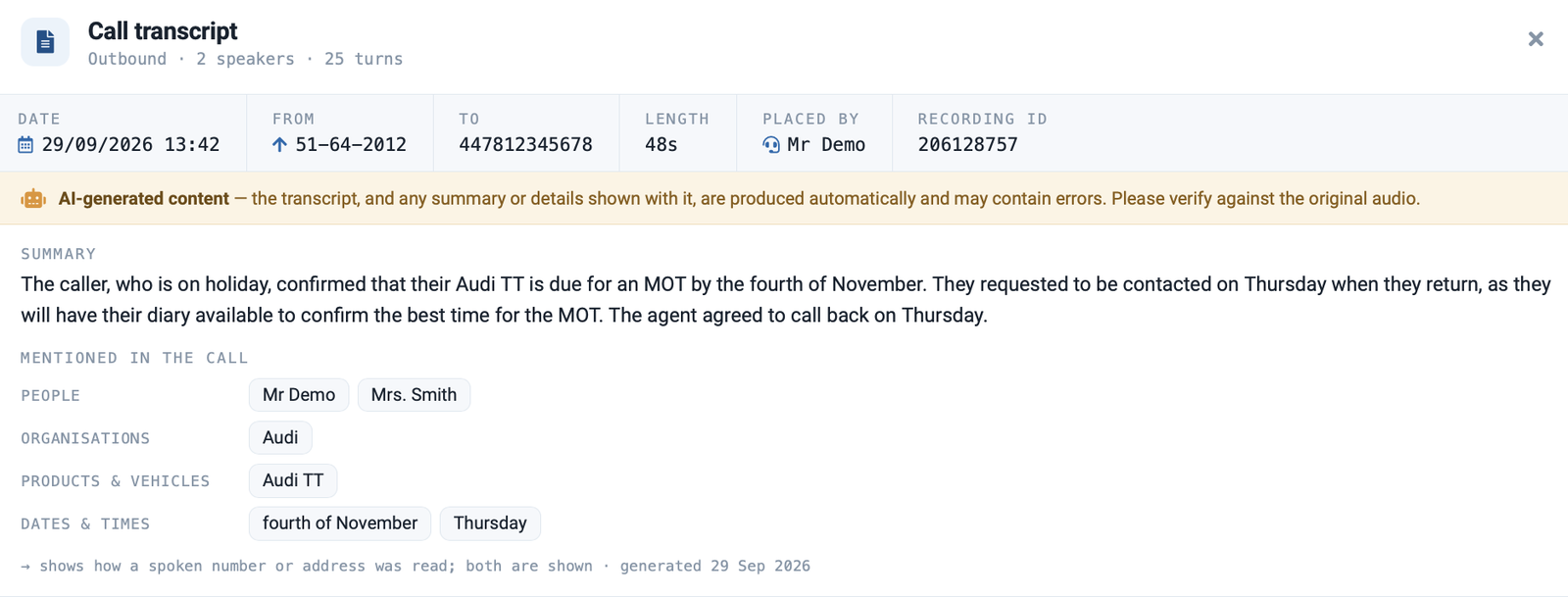
What the call was about in a few lines, plus the people, companies, products and dates mentioned.
Find calls by the words spoken, and get alerted when the words you care about come up.
Most of what customers tell your business is said on the phone, then lost once the call ends. Call recording keeps the audio, but nobody has time to listen back. Transcripts, summaries and alerts turn those calls into something your team can actually use.
Reading a call takes seconds. Listening back takes as long as the call did.
A few lines tell you what the call was about, before you decide whether to read or listen to any more.
The calls that matter most come to you, instead of waiting for someone to find them.
Each transcript opens with a plain-English summary of the call and the details that matter, pulled out and grouped for you. The call details sit along the top: date, from, to, length and who placed it.
Every word of the call, split by speaker and laid out in order, with the recording built in so you can jump straight to any moment.
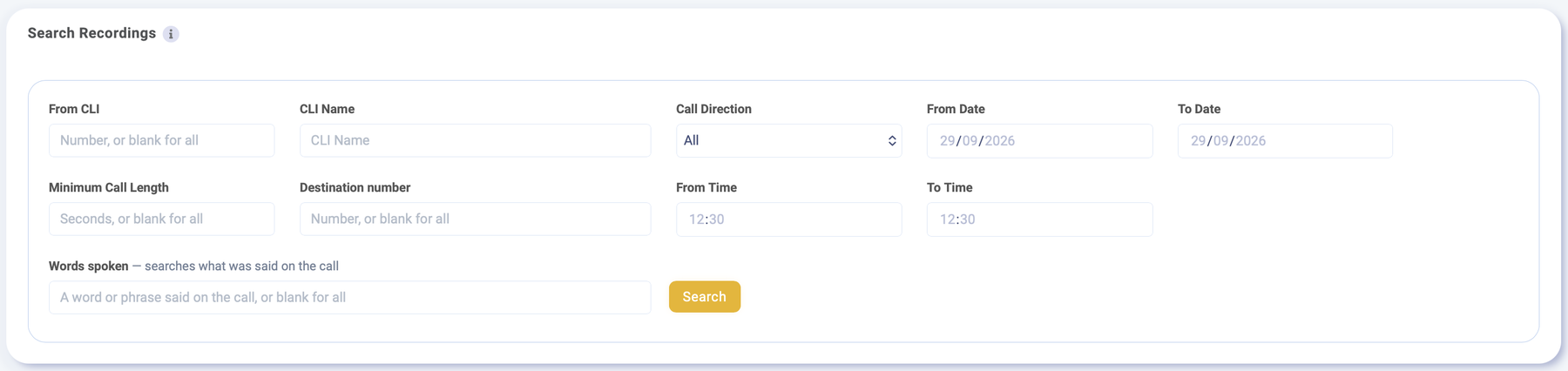
Search Recordings in Zeus now has a Words spoken field. Type a word or phrase, such as a name, an order number or a product, and find every call where it was said. Combine it with number, direction, date, time and call length.
Choose the words that matter to your business and who needs to know. Then pick how urgently they hear about it.
Keep an eye on words like a competitor’s name, a product or a new offer. You get one clear email listing every call where they came up, with a link to each call, instead of an inbox full of alerts.
Hourly options send on the hour. Daily sends at 08:00, weekly on Mondays at 08:00 and monthly on the 1st at 08:00. Nothing is sent if there were no matches.
Set up a priority alert with the words that need action straight away, and choose who gets told. Shortly after a matching call ends, once it has been transcribed, that person or team is emailed the call details and a link to open the call.
Alert emails show which words were heard, when the call was, which way it went and who was on it, with one button to open the call in Zeus. They never include what was said, so they are safe to send to a shared inbox.
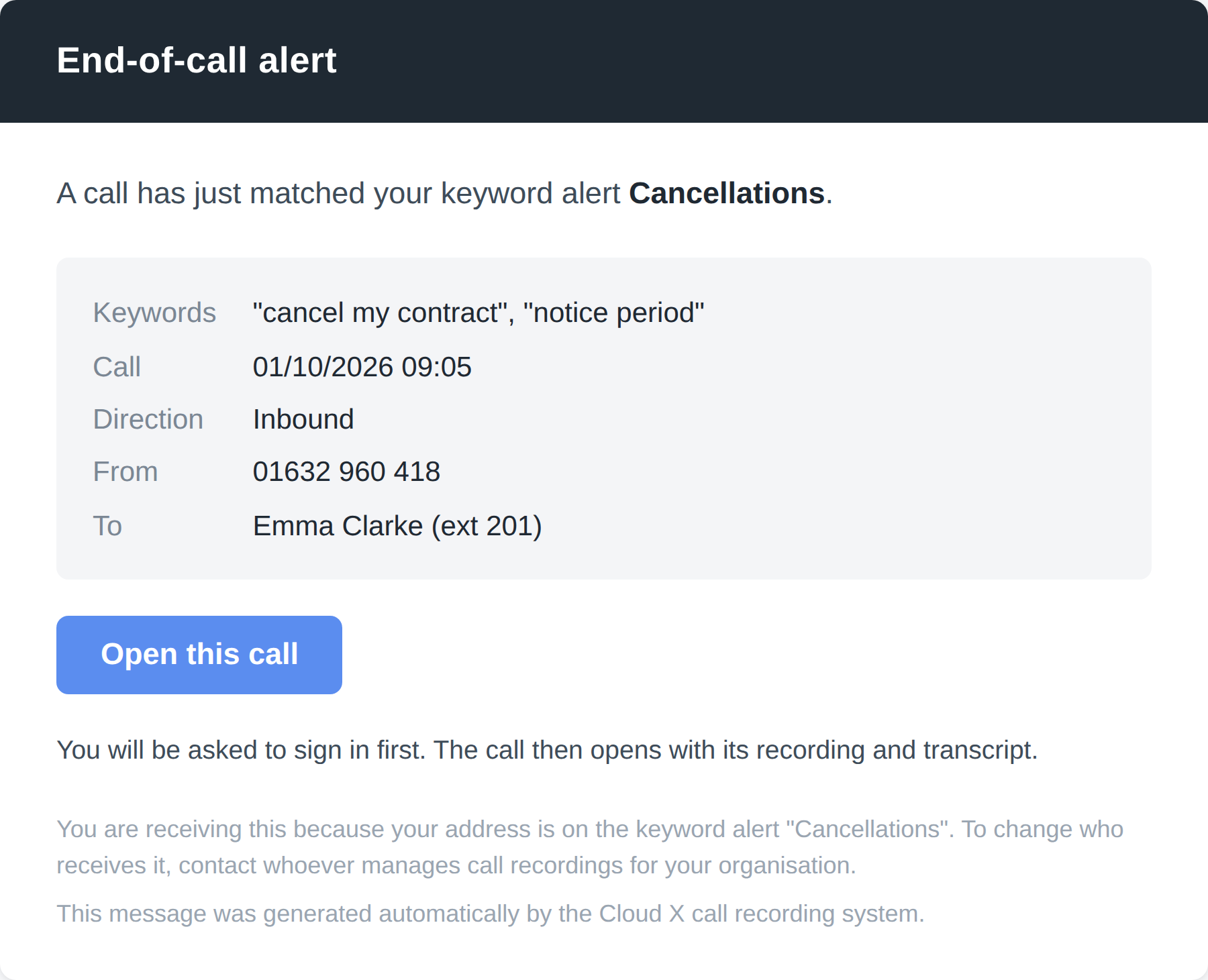
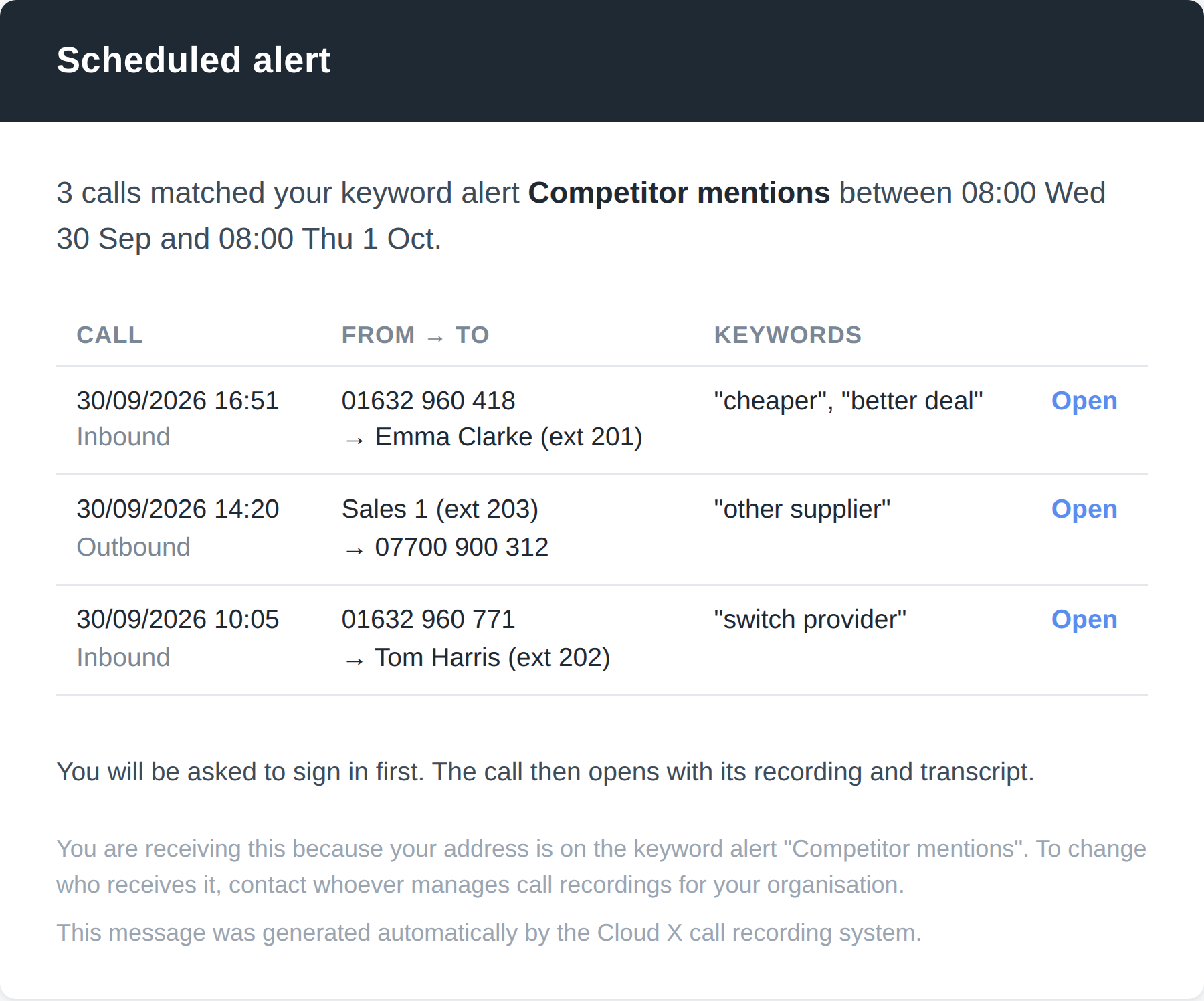
Keyword Alerts sit in the Call Recordings area of Zeus. Pick the type of alert, add the words to listen for and choose who gets the email. Every alert is listed on one screen, so you can see at a glance what is being watched and when it last sent.
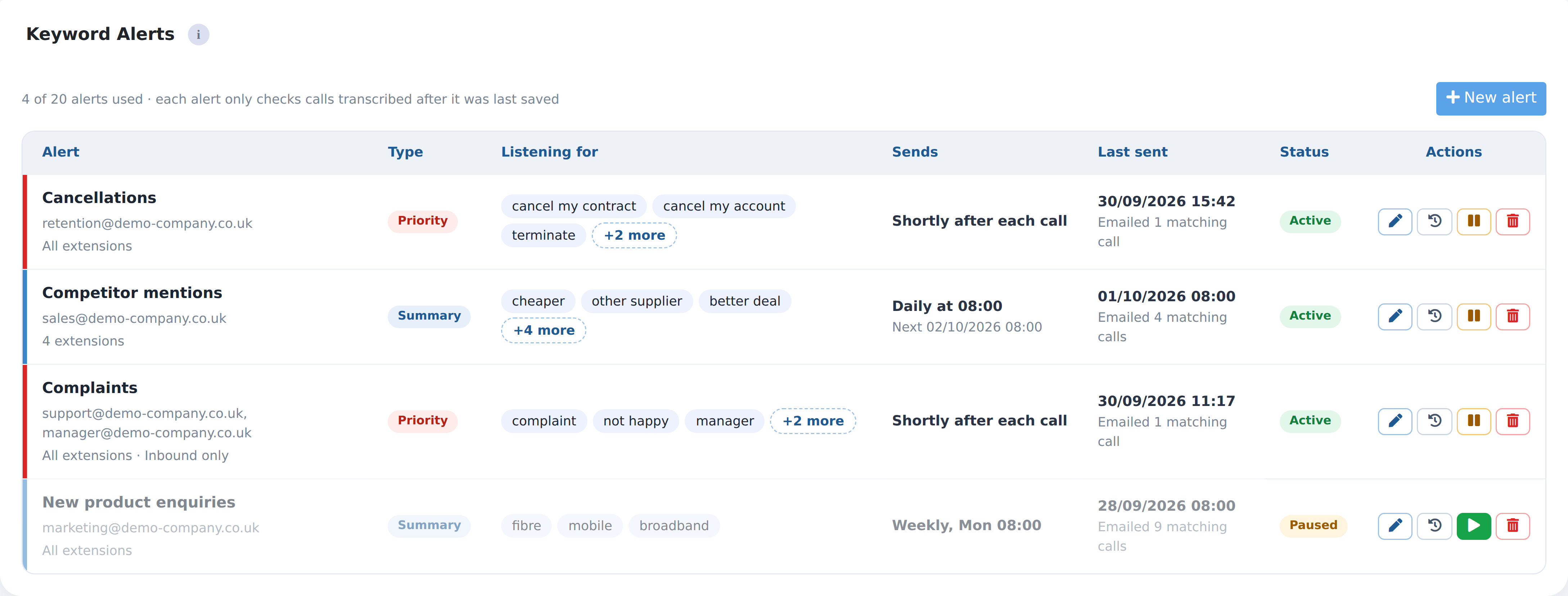
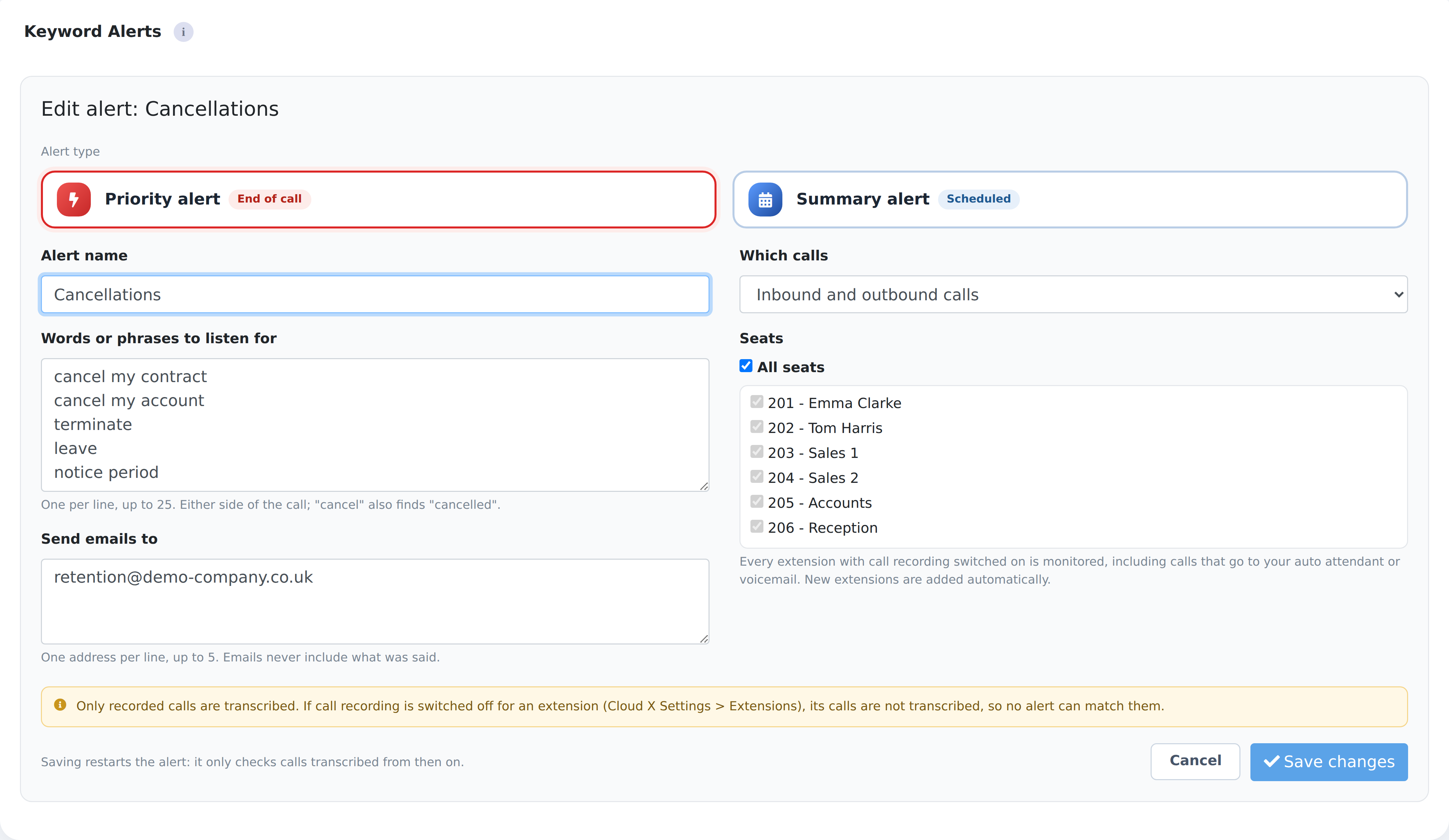
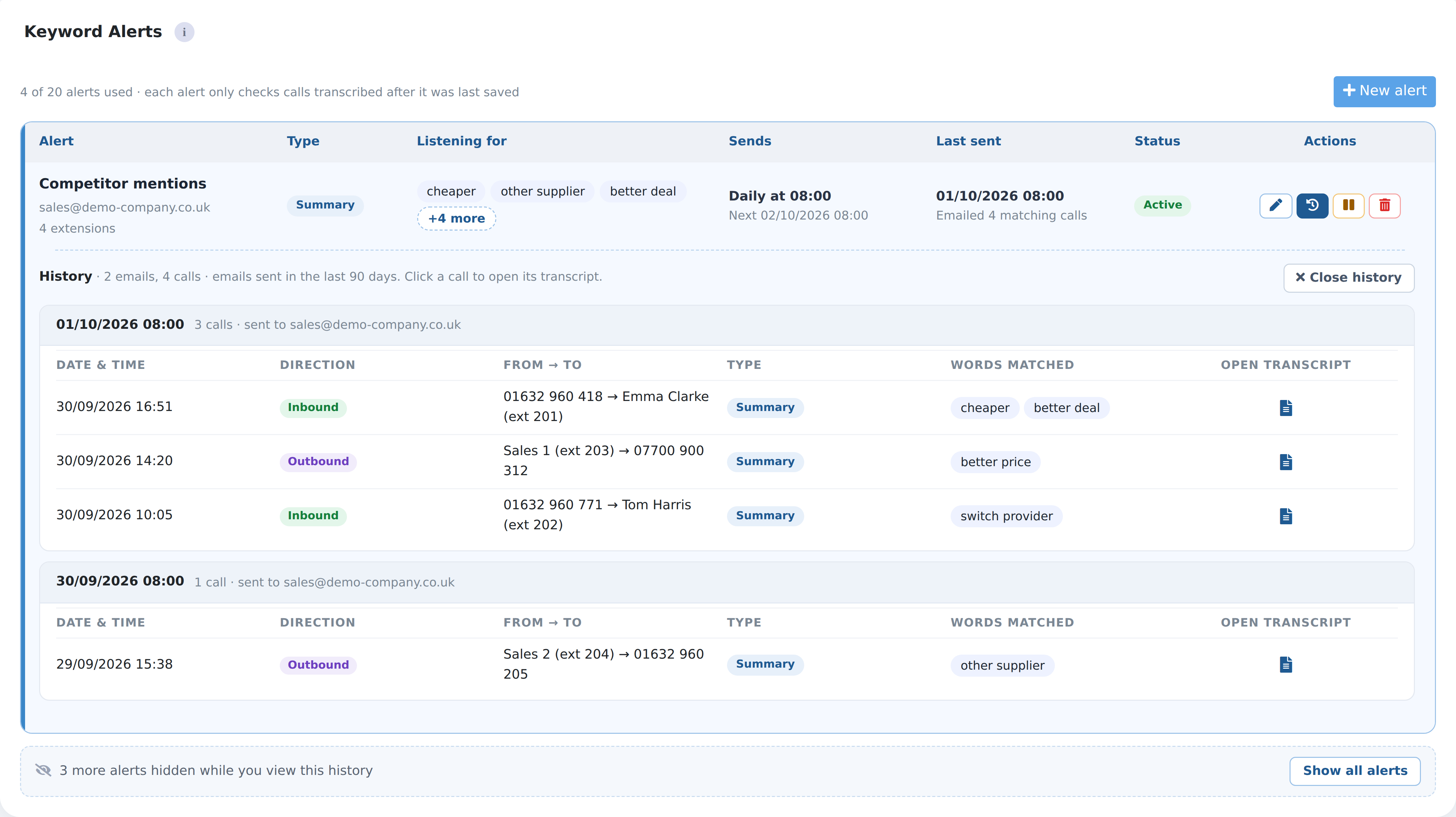
A few examples of the alerts our customers can set up. Each one is just a list of words, who to tell, and how soon.
Shortly after a customer says they want to go, your retention team gets an email with the call details and a link to the call.
Every Monday, purchasing gets one email listing the calls where customers asked for something you couldn’t supply.
Team leaders get a daily list of difficult calls, each one a click away from its transcript and recording.
Support is emailed shortly after the call ends, even if the person who took it didn’t raise a ticket.
Sales managers get a daily list of calls where customers talked about price or another supplier, and which extension took them.
Account managers get a regular round-up of customers who mentioned growing or changing.
Cancellation and complaint calls reach the right people the same day, while there’s still time to save the customer.
Dates, call-backs and products agreed on the call are picked out, so nothing gets missed.
Read summaries instead of listening back, and use real calls to show new starters what good looks like.
Find the exact moment something was said and settle “who said what” questions in seconds.
No. AI Call Transcription works from the call recording already on Cloud X. Transcripts appear next to each recording in Zeus, and your team makes calls exactly as they do now.
In Zeus, go to Call Records, then Call Recordings. Every recording has a transcript icon next to the play and download buttons.
Transcripts and summaries are produced automatically by AI, so they can occasionally contain errors. Each one is clearly marked as AI-generated, and the original recording is always there to check against.
Priority alerts are for calls someone needs to act on today, such as a customer asking to cancel. You get a separate email for every matching call, usually within a few minutes of the call ending.
Summary alerts are for keeping an eye on things over time, such as price or competitor mentions. You get one email listing all the matching calls, as often as you choose:
If no calls match, no email is sent.
Recorded calls that have been transcribed, on every extension or only the ones you tick, and inbound, outbound or both. An alert checks calls transcribed after it was created or last edited, so it won’t pick up older calls. Calls transcribed while an alert is paused aren’t checked. If call recording is switched off for an extension, its calls can’t trigger an alert.
The alert name, the words that were heard, when the call was, which way it went, who was on it and a link to open the call in Zeus. It never includes what was said. Each alert can email up to 5 addresses, and anyone opening the call has to sign in to Zeus first.
Per PBX extension, per month, on a 30-day contract. The more extensions on the account, the lower the price per extension. Speak to your account manager for pricing.
AI Call Transcription is priced per extension, so it grows with every customer you add. It’s simple to demo: open one of a customer’s own recordings, show them the transcript and summary, and the value is obvious.
Talk to our partner teamBook a quick demo and we’ll show you transcripts, summaries and search working on real Cloud X recordings in Zeus.
Request a DemoCopyright © 2026 Plustel Ltd. All Rights Reserved.